



Convert HTML, CSS, & JS Files to Android and iOS Apps (Complete Guide 2026)
Published on:
24 October, 2026

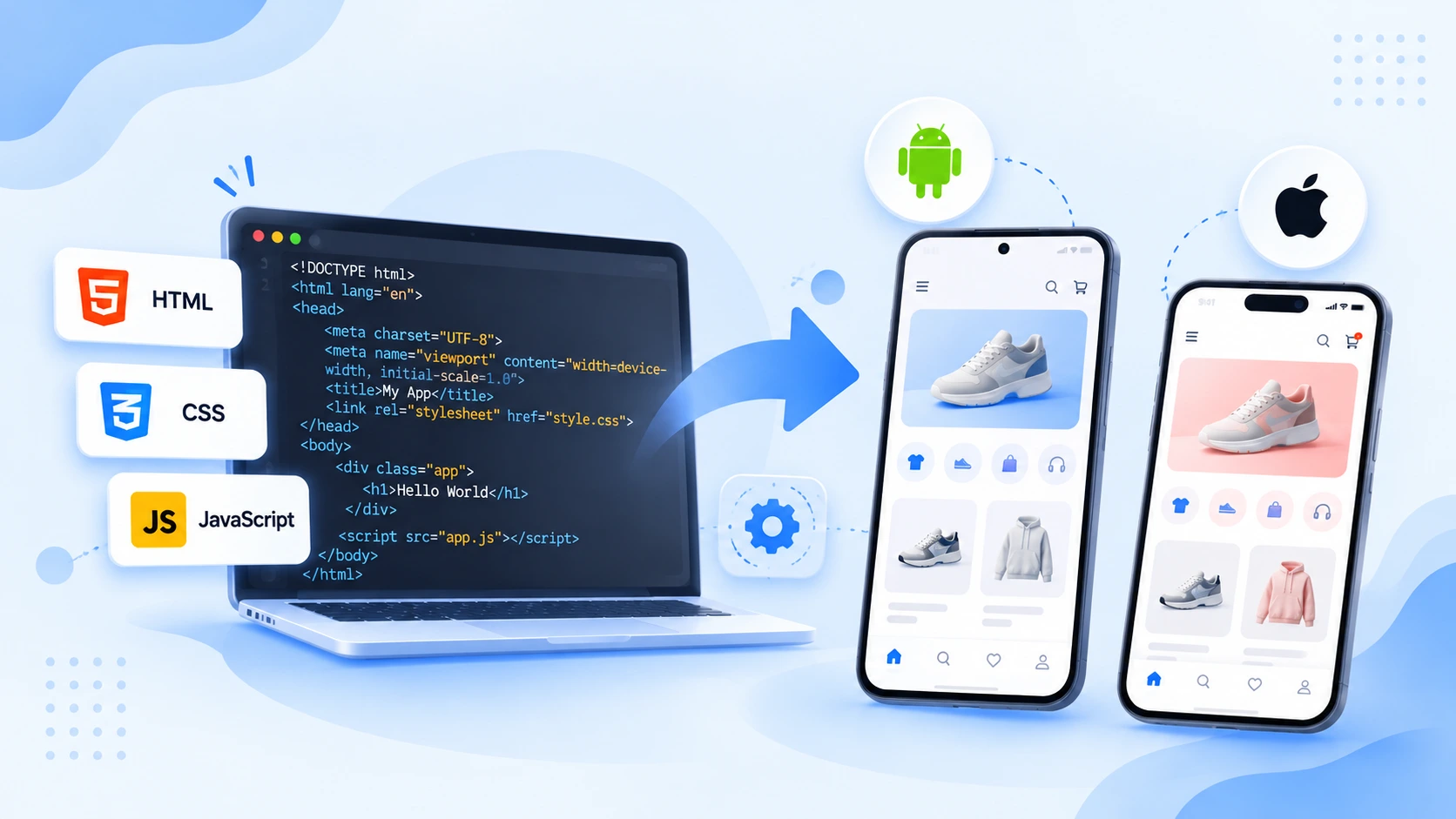
Wanted a mobile app? But only have HTML, CSS, and JS files. You don't have to manage separate codebases, hire a large team of developers, learn mobile technologies, increase complexity, increase budgets, and more. You still have to handle mobile-first functionality, follow app store guidelines, and ensure compatibility across multiple devices before your app gets published.
Is traditional mobile app development the only solution?
No. Webtonative is the solution. A no-code mobile app builder platform offers a practical way to use your HTML, CSS, & JS files to build a mobile app. The platform follows its own setup requirements, costs, and limitations.
We will walk you through what HTML, CSS, and JS files are to the step-by-step process with a complete cost comparison.
What are HTML, CSS, and JS files?
Every application in the browser is built from three essential file types. Together, they decide how the page looks, what the page contains, and how it behaves.
1. JavaScript File (JS)
Any game, dashboard, or quiz you build for the browser depends on JavaScript. This is a programming language that handles the entire website functionality. It makes your app dynamic and interactive through actions such as clicks and taps, validating and updating content on the app without reloading it.
2. Cascading Style Sheets File (CSS)
CSS is also what makes a design responsive, stating that the interface adjusts to different devices and screen sizes. It controls the visual appearance of your mobile app, including layouts, fonts, colors, and spacing. This matters on different mobile devices, as the same page might look different on a small phone screen or a tablet screen.
3. HyperText Markup Language File (HTML)
It is the first file an app converter looks for. This file defines the structure and content, such as headings, paragraphs, links, buttons, images, and other text fields. Your main page is usually named index.html. They handle user inputs like forms, hyperlinks, and multimedia.
Android and iOS apps are normally built with these files, but these are not accepted by the app stores. So, what’s next? The different approaches to use HTML files, making them an app.
4 Ways to Turn HTML, CSS, and JS to Mobile App
Below are a few ways that might help you. The right approach depends on your budget, timeline, resources, and other native features.
1. Use a Hybrid Framework
Tools like Cordova, Capacitor, NativeScript, and Ionic add a native layer around your web app and provide access to device features through plugins. You still have to configure the plugins, app builds, and platform-specific testing.
2. Rewrite in React Native or Flutter
These two frameworks allow you to build Android and iOS apps from one codebase. But they rewrite the entire code into a new language or framework, leaving your HTML, CSS, and JS files unused.
3. Build Native Apps from Scratch
You build separate apps in Swift for iOS and Java or Kotlin for Android. It offers complete control over the app performance, functionality, and features. On the downside, it is the slowest and most expensive way instead of reusing the HTML, CSS, and JS files. You have to handle separate codebases with a long development cycle.
4. Use Webtonative
Webtonative is a no-code mobile app development platform that turns your HTML, CSS, and JS files into Android & iOS apps. You have to upload the ZIP file, configure native features, test the app on real devices, and prepare the app for publishing without rebuilding your codebase from scratch.
| Ways | Coding Required | Reuse Your HTML, CSS, & JS Files |
|---|---|---|
| Use a Hybrid Framework | Yes | Mostly |
| Use Webtonative | No | Yes |
| Build Native Apps from Scratch | Yes | No |
| Rewrite in React Native or Flutter | Yes | No |
Step-by-Step Process to Convert HTML, CSS, & JS Files to Android & iOS Apps with Webtonative
The entire conversion process takes place without coding, Android Studio, or Xcode. Starting with a Webtonative description.
What is Webtonative?
Webtonative is a no-code mobile app builder that converts an existing live website into a native app with a 14-day free trial. It supports Android, iOS, and Desktop application development. The platform offers a solution for the user having HTML, CSS, and JS files and wanting to build a mobile app without any extensive budget. You only have to push a compressed ZIP folder containing all the HTML, CSS, and JS files. The rest of the work Webtonative will do. After the app is built, you can customize the app with 120+ wide range of features and add-ons. You can also test the app on real devices through downloadable app build files.
The Step-by-Step Process Begins
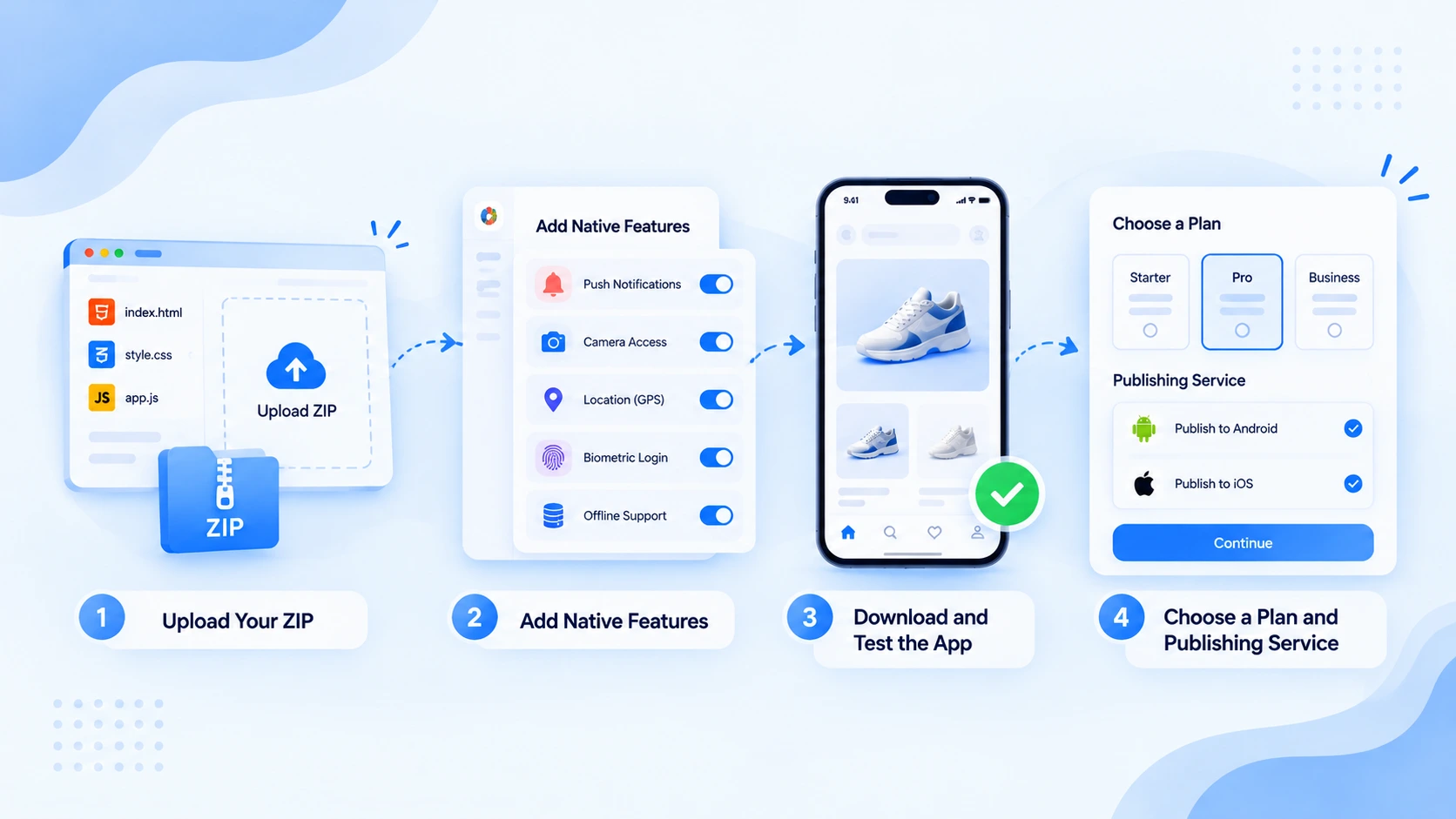
Step 1: Upload Your ZIP
-
Click on “Upload Your ZIP" and select the folder form your device.
-
You have to upload a compressed ZIP folder containing HTML, CSS, and JS files.
-
Webtonative checks the folder and shows a Verified tag next to the ZIP file name once it passes.
NOTE: If your ZIP folder contains any issues or problems, you can edit the folder and upload it again.
-
The platform automatically detects the entry point, which is usually the index.html file.
-
Now, you have to select the platform for your app: Android, iOS, or Android & iOS.
-
Enter the name of your app.
-
Click on “Build My App.”
Step 2: Add Native Features
-
Click on the “Edit” button on the dashboard to access the customizations.
-
It takes you to the App Info page, where you can customize the app name, logo, package name, version code, and name.
-
Use the left-side menu to customize the splash screen, deep linking, app settings, website overrides, and more.
-
Below the Add-Ons section, you will have the add-on categories. You can click on any category and select any add-on as per the requirement.
-
Click on “Save & Rebuild” to reflect your changes inside the app.
Step 3: Download and Test the App
-
Either you can download and test the demo app after uploading the ZIP folder by clicking on “Build My App.”
-
Or you can download and test after editing and customizing your demo app.
-
You can test the demo app on multiple real devices.
-
For Android, either you have to scan the QR or download the APK file shown on the dashboard to install the demo app on your Android device.
-
For iOS, you have to download the ZIP file, log in to Appetize.io, and upload the ZIP file there. Launch the demo app to run in your browser.
Step 4: Choose a Plan and Publishing Service
When you are satisfied with the demo app build, you have to purchase the mobile app to get the actual app build files. This is only generated after you purchase the app. You can also take Webtonative’s Done-for-you publishing service, where our team will publish the mobile app on the Google Play Store or Apple App Store. You have to provide the developer accounts generated on both platforms for the publishing service.
Update Your App Without App Store Review
After some time, you have to introduce a new feature to the app. Here is the below thing you can do:
-
Navigate to the App Content section.
-
Upload the new ZIP file to update your App’s content.
-
Each upload is saved as a numbered version, allowing you to roll back to a previous version with one click to test the changes on a staging channel before publishing them to production.
-
When the user opens the app again, the updated content is loaded automatically instead of going to app stores to update the mobile app.
NOTE: This method works for content updates only. Any changes regarding new native features or app permissions require a rebuild and a fresh release through the App Store.
The Cost and Timeline
Below is the tabular comparison of building a mobile app from scratch and converting HTML files into an app with Webtonative. So, the conversion starts.
| ROUTE | COST | TIMELINE | BEST FOR |
|---|---|---|---|
| Hybrid Framework | $15,000 to $25,000+ (depending on complexity) | Weeks for a simpler app and longer for complex ones | Knowledgable about web code and requires one codebase for both platforms |
| Webtonative | Begins from $99 for both Android & iOS apps | App Demo in minutes with a 14-day free trial | Faster Android & iOS app launch without coding |
| Native Apps from Scratch | $10,000 to $300,000 | Several months to build a platform | Complex functionality or heavy graphic apps that require top performance |
| Rewrite in React Native or Flutter | $15,000 to $200,000+ (depending on complexity) | 2 to 12+ months depending on complexity | Large and long-term products built from the ground up |
Webtonative also offers flexible pricing plans with paid add-ons. It includes one-time, yearly, and monthly pricing plans to build a mobile app without tearing your budget. The platform also offers Done-for-you publishing, where our team publishes your apps under your developer accounts on your behalf, ensuring a faster app launch.
FAQs
Q1. Will my HTML app work perfectly offline?
A. Yes, HTML, CSS, and JS files are bundled inside the mobile app. They automatically load from the device itself. So, the app opens instantly and works in an area without any singles or internet connection. If your app saves the user information, you must synchronize it with your backend so nothing is lost when the user comes back online. A few features still require a stable or internet connection, such as push notifications, calls to your APIs, Firebase Analytics, and more.
Q2. Does Webtonative convert my HTML file into an app for free?
A. Yes, Webtonative converts HTML, CSS, and JS files into an app for free. The platform offers a 14-day free trial plan to view how your app behaves and other feature functions inside the app. You can download demo app files for Android and view them visually at appetize.io for iOS. The actual app files are generated only after purchase. You can also explore the features and see which ones you can include in your mobile apps.
Q3. Does converting your HTML CSS JS to mobile app require web hosting or a server?
A. No. Webtonative bundles your HTML CSS JS & images inside an app so each screen loads from the device. You do not require any domain, monthly server bill, or web hosting. This keeps the app development budget affordable as compared to other app development methods.
Q4. Do I need Android Studio, Xcode, or technical skills to convert HTML to an app?
A. No. Webtonative is a no-code mobile app builder that does not require any Android Studio, technical skills, or Xcode. If your project already runs in a browser, you only need to upload the compressed ZIP folder of the HTML, CSS, and JS files. Next, you have to add the app name, icon, and customize native features from a single dashboard.
Conclusion
Turning HTML, CSS, & JS files into Android and iOS apps without rewriting the native codebase. You can use a hybrid framework, build a native app from scratch, use Webtonative, or rewrite everything in Flutter or React Native.
For most people who already have a folder of HTML files, WebToNative is the quickest, safest, and affordable path. You zip your files, upload them, and choose Android, iOS, or both. Your files are bundled inside the app, so you need no website or server
Similar Blogs